
New accounts automatically receive free license credit to test unCoded. Check your balance under Token Balance → License Tokens after signing up.
Log in at uncoded.ch
Go to uncoded.ch and click Login / Sign Up. Log in using your Google account.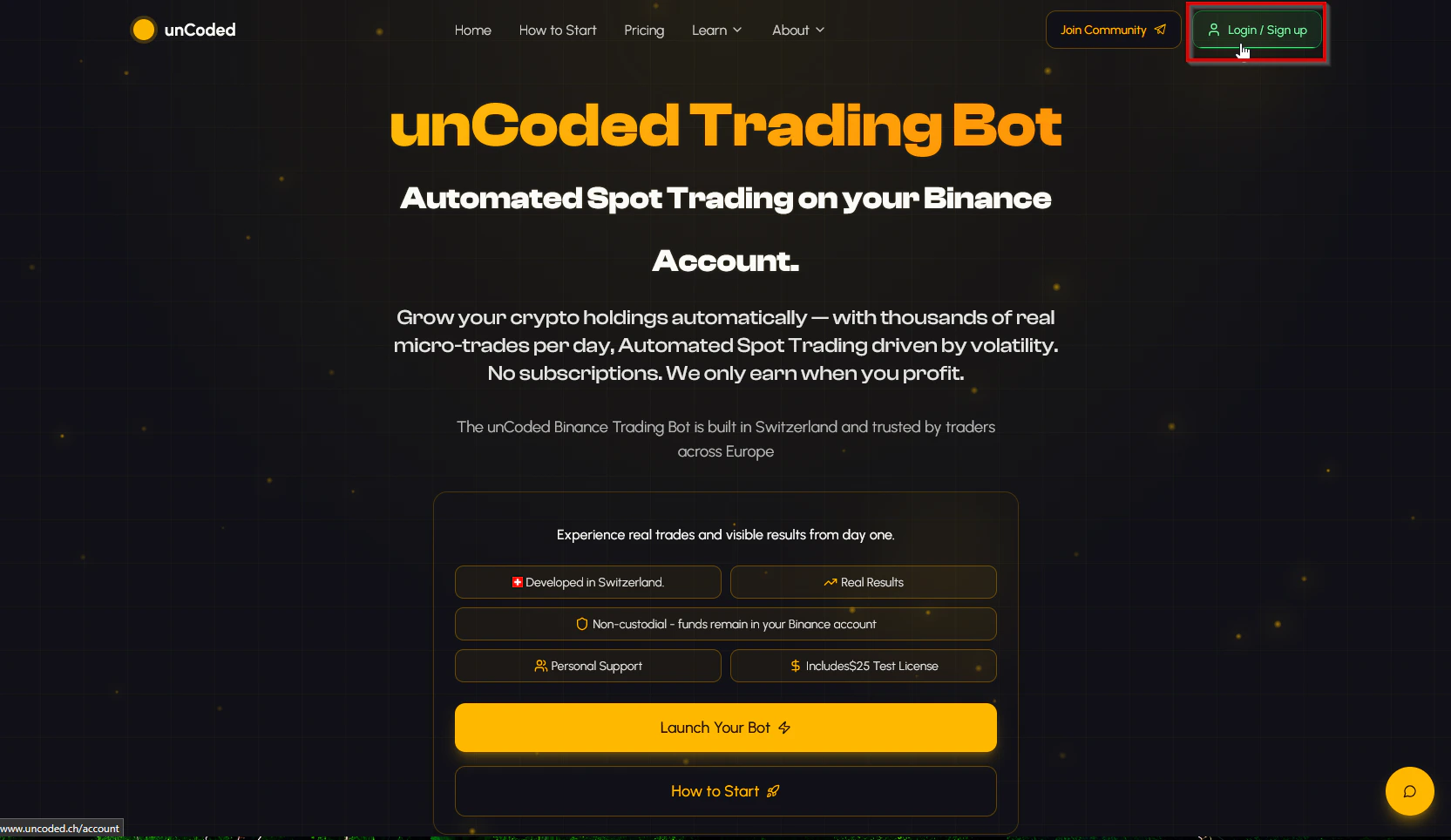
Confirm the sign-in prompt
A confirmation dialog will appear. Click Continue to authorize the login.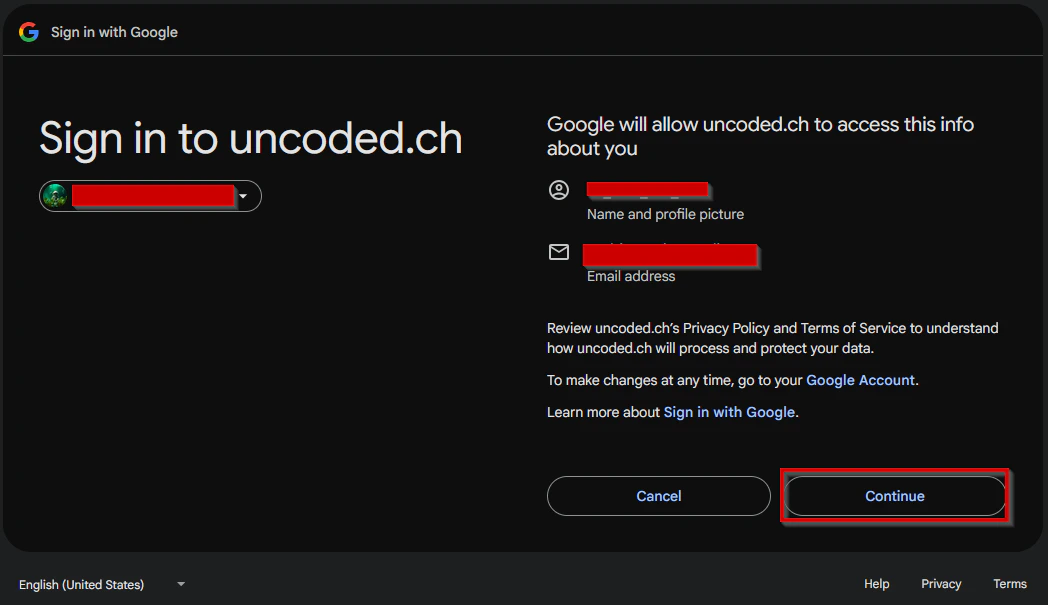
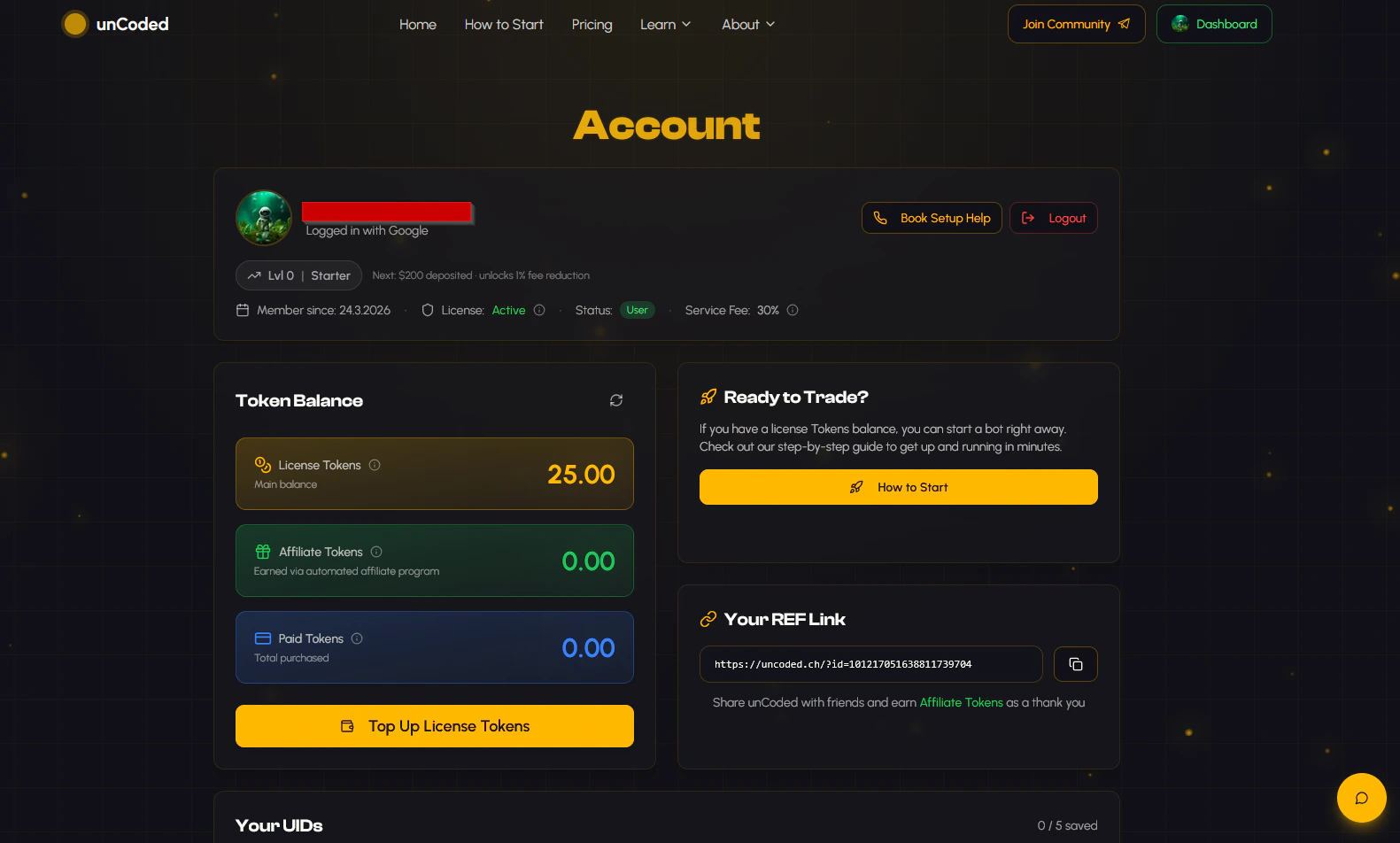
Copy your Binance UID
Open your Binance dashboard in a new tab.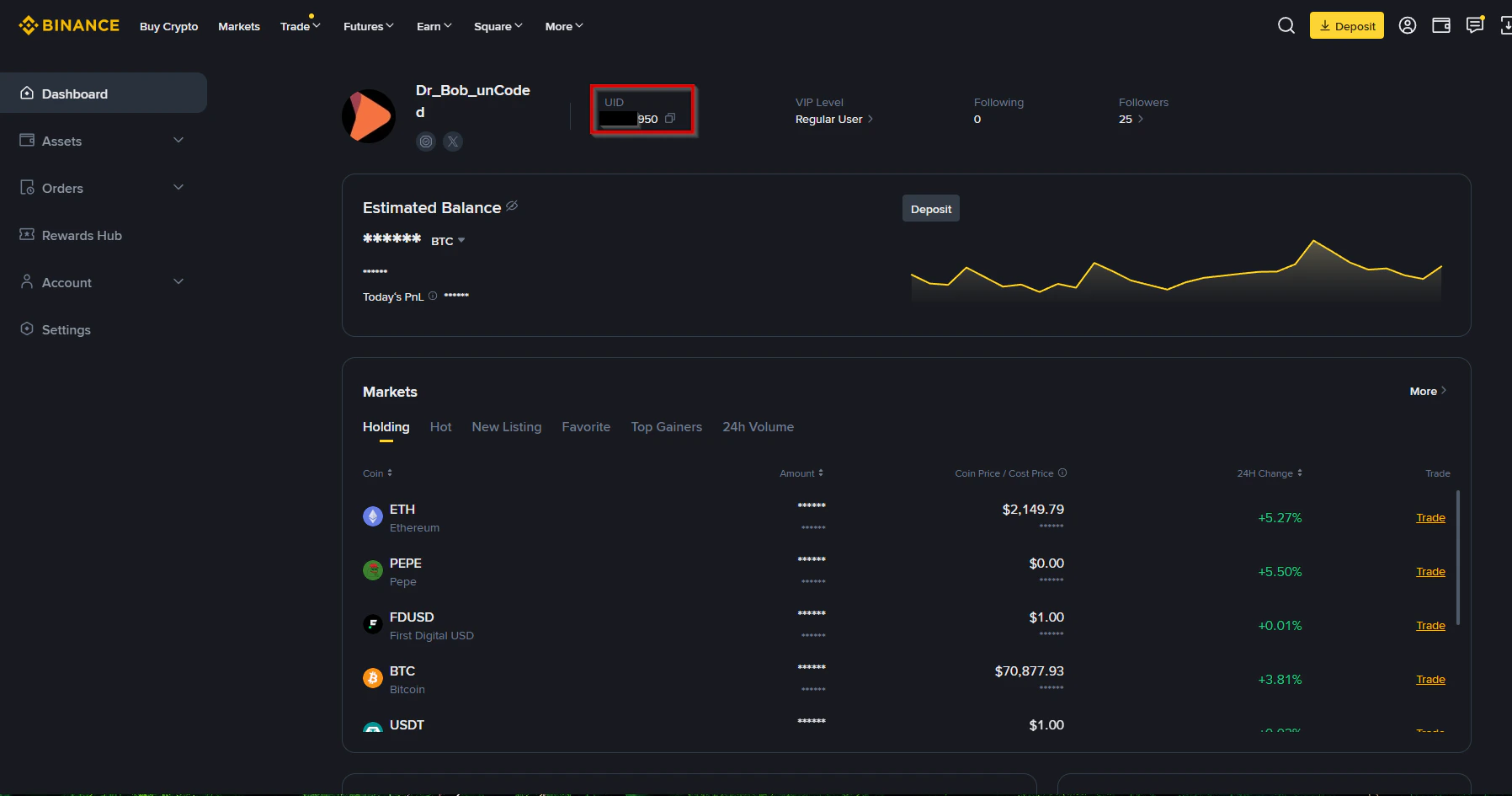
Add your UID in unCoded
Return to your unCoded dashboard.Scroll down to the Your UIDs section and click Add a new UID. Paste your Binance UID into the field and click Save.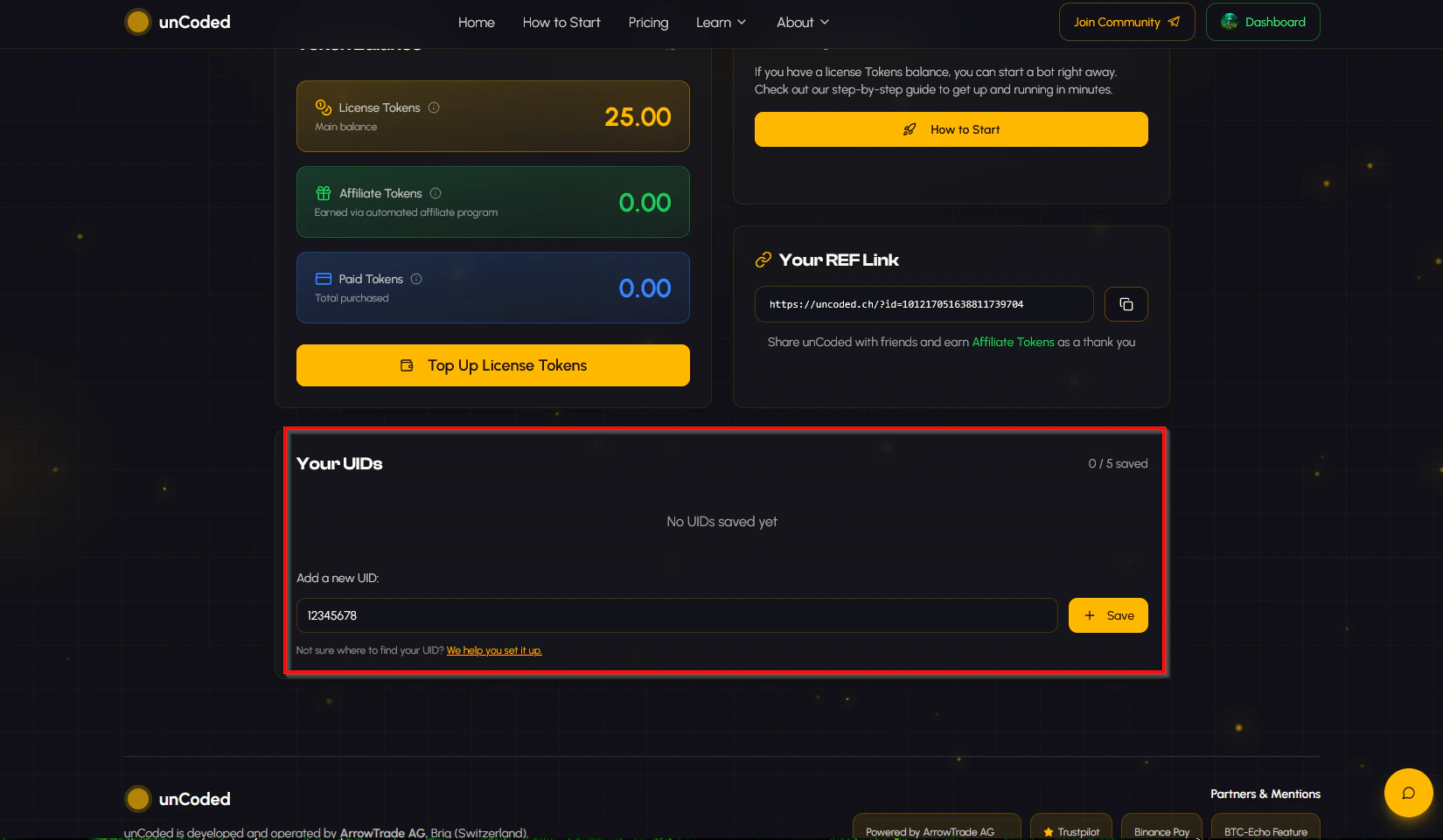
Your unCoded account is now set up. The next step is to provision your server and deploy the bot. Continue to Start your server.